Construction app for site managers and foremen
A construction app helps site managers and foremen when it gives both roles one current view of site tasks without making them do the same job. The manager coordinates priorities, timing and dependencies; the foreman turns that plan into clear assignments, follows blockers and updates what happened in the field.
Different responsibilities, one task record
Site manager
- Sets project priorities and reviews work that affects sequence or other teams.
- Checks overdue, blocked and high-priority tasks across the site.
- Coordinates decisions, resources and handoffs that the foreman cannot resolve alone.
Foreman
- Turns the day's plan into specific tasks with responsible people and locations.
- Checks what crews started, completed or could not continue.
- Adds field context and raises blockers while there is still time to change the plan.
Both roles need the same underlying task, not a manager's spreadsheet plus a foreman's chat thread. The view can differ; the responsibility, dates, location and status should not.
A shared daily task rhythm
-
Prepare the day
Review planned starts, urgent items and known blockers. Confirm that each task names the responsible people and identifies the work area.
-
Brief the crews
Open the relevant tasks rather than rewriting them into a separate list. Clarify the expected result, sequence and any location or drawing reference.
-
Update at the point of work
Move a task to in progress when work starts, blocked when it cannot continue, and completed when the assigned outcome is finished.
-
Resolve blockers
The foreman records the obstacle and the manager coordinates the decision, material, access or preceding work needed to remove it.
-
Close the day
Review completed, blocked and overdue items together. Use the actual task updates to plan tomorrow instead of reconstructing the day from messages.
What to avoid
- A manager-only tool that makes the foreman send updates through somebody else.
- A field chat that cannot show all open work by assignee, status or due date.
- A single “open” state that hides the difference between unstarted, active and blocked work.
- Long descriptions without a useful location, drawing reference or clear outcome.
- Duplicating the same task into a meeting note, spreadsheet and app.
Doing this in TerenIQ
TerenIQ gives site managers and foremen the same task data through web, iPhone and Android:
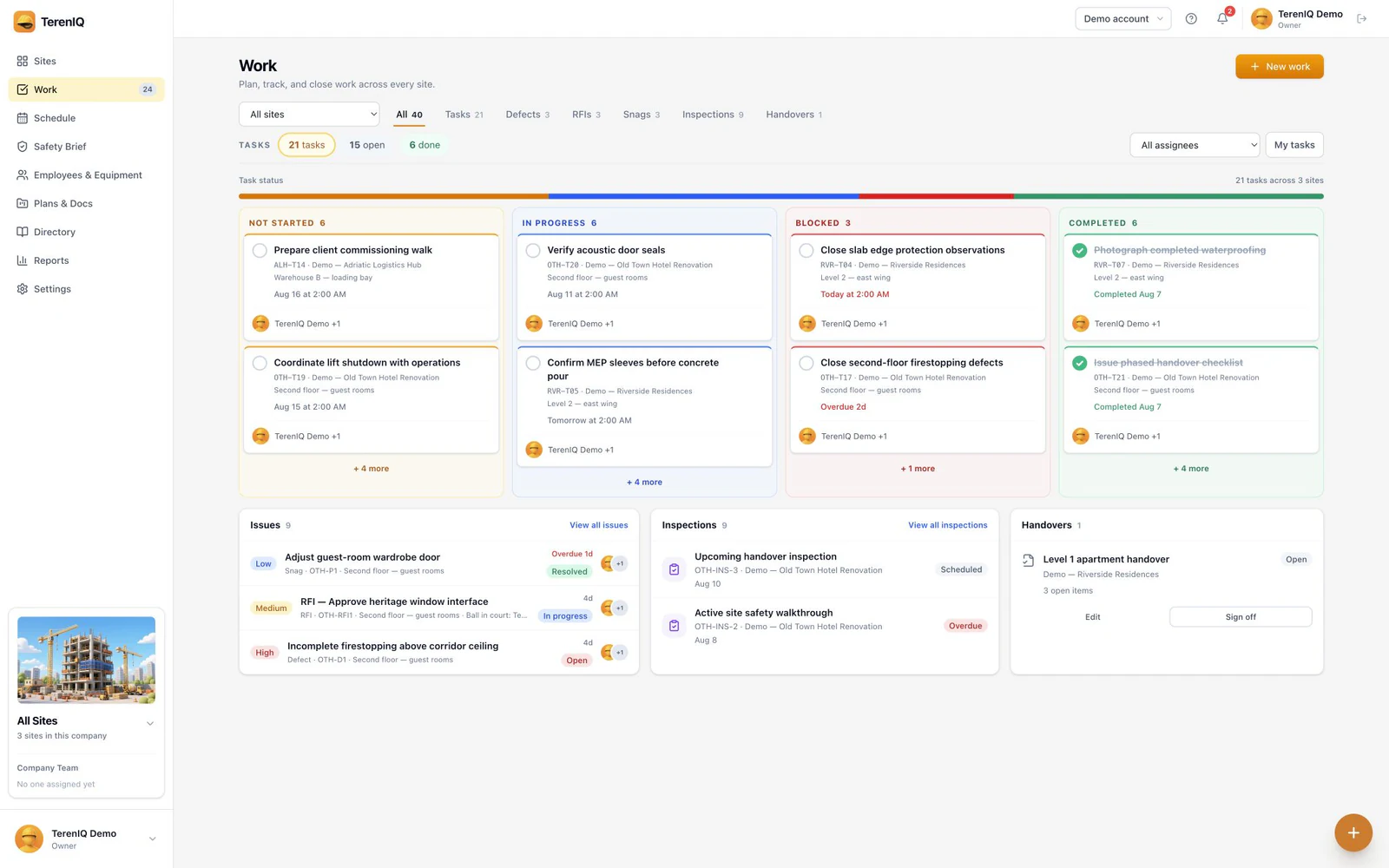
- One or more assignees, priority and optional start and due times clarify responsibility and timing.
- Project, location labels, grid references, drawings and drawing pins provide site context.
- Optional checklist items, comments and field attachments keep working information on the task.
- Not started, in progress, blocked and completed states show the current situation without inventing an approval step.
Frequently asked questions
What is the difference between a site manager and a foreman in task tracking?
The site manager coordinates priorities, sequence and cross-team blockers. The foreman turns the plan into crew assignments and updates progress at the point of work. Both should use the same task record.
Should foremen create tasks themselves?
They should be able to create or clarify site work when their role permits it. Requiring every field instruction to be re-entered by the office creates delay and duplicate records.
What should a site manager review each day?
Focus on work due or starting soon, high-priority tasks, blockers that require coordination, and overdue items whose next action is unclear.