Construction task management: how to assign and track site work
Construction task management is keeping every piece of directed work — fixes, preparations and follow-ups — in one queue where the responsible people can see the scope, location, priority, timing and current status. The alternative is the site's default operating system: shouted instructions, WhatsApp threads and memory.
The rules that make task tracking work on site
- Name the responsible people. A task can have one or more assignees, so everyone expected to act can see the same scope.
- Add a due date and priority when they matter. They make urgent and overdue work easier to separate from the rest of the queue.
- Include the location. Use a site label, grid reference, drawing or drawing pin when words alone would be ambiguous.
- Define what finished means. Add an optional checklist and attach photos, video, voice notes or documents when the task needs that context.
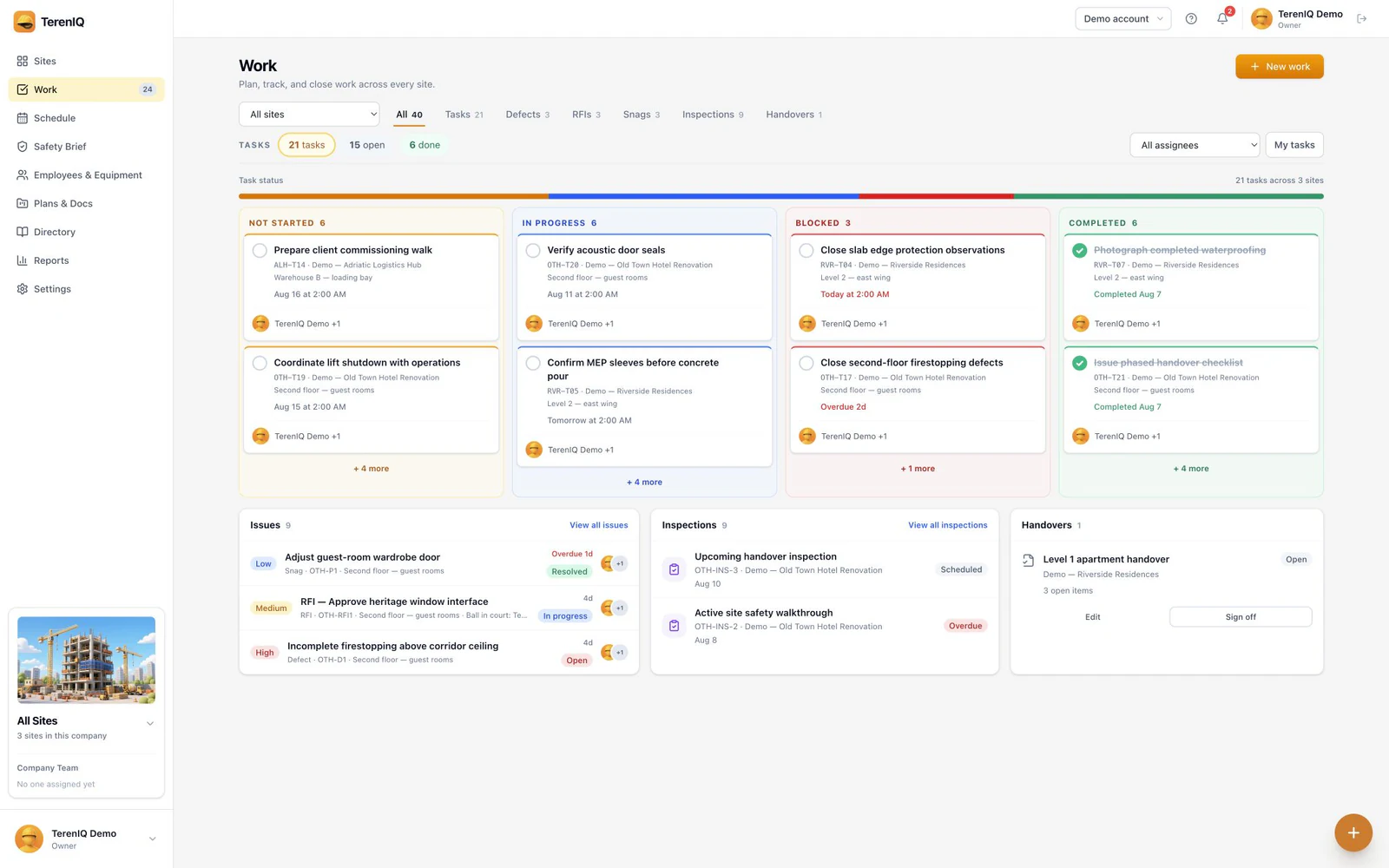
- Follow the real status. Tasks move between not started, in progress, blocked and completed.
Where site tasks come from
Most site tasks are not planned work — they are the exhaust of other processes, which is why they leak when tracked separately:
- Failed items from inspections
- Defects and snags found during walks
- Actions arising from RFI answers
- Client and consultant walkthrough requests
- Prep work: protection down before the pour, access cleared before the delivery
The design consequence: tasks, defects, snags and RFI actions belong in one queue, filterable by site, trade, assignee and due date — because the foreman planning tomorrow does not care which process generated the work.
Go deeper on construction task tracking
- Replace scattered instructions with a shared task workflow instead of WhatsApp and spreadsheets.
- Use a practical checklist to evaluate construction task tracking software.
- Copy the fields from this construction task checklist and workflow.
- See how a construction app supports site managers and foremen without blurring their responsibilities.
- Set up a repeatable review for tracking overdue construction tasks.
- Give crews precise context by linking tasks to drawings and site locations.
Doing this in TerenIQ
This is TerenIQ's core loop:
- Assign a task to one or more people and add a priority plus optional start and due times.
- Add checklist items, a site location or drawing pin, and the attachments the assignee needs.
- Follow work through not started, in progress, blocked and completed states.
- Keep task comments, assignment notifications and status notifications with the work they concern.
Frequently asked questions
What is the best way to assign tasks to subcontractors?
Name the people responsible for acting, add a clear location and due date, and describe what completion means. When several people share the work, include each of them rather than relying on a company name alone.
How is construction task management different from office task management?
Site tasks often need physical-location context, a drawing pin, media from the field and a simple mobile workflow alongside the usual assignees, priorities, dates and statuses.
What should happen to overdue tasks?
Review them by assignee, blocker, priority and next action. Change the date only when the plan genuinely changes; otherwise the original missed commitment disappears from view.