How to write a construction daily report
A construction daily report records who was on site, what work happened, the weather, and anything that blocked progress — written the same day, every day. A consistent record can help review payment, delay or defect issues later, but does not by itself establish entitlement to a claim.
FREE TEMPLATE
Daily site report: Excel + PDF
Record the day's work, crew hours, weather and delays. Includes a completed example.
Excel includes Template and Example sheets. The PDF includes a blank printable form and a completed example. Download without signing up, adapt it to your project and share it with the crew.
Operational site report; not a statutory construction diary, working-time record or payroll calculation.
Suggested contents of a daily report
Skip the essay. A daily report is a structured operational record. Adapt these suggested fields to the project and contract:
- Date, project and author — who is signing their name to this record.
- Weather — temperature, wind, rain, and whether conditions stopped or slowed any activity.
- Labor on site — headcount per contractor or trade, with hours. This is the line clients and quantity surveyors check first.
- Work performed — what was actually built today, by area or activity. Write what a stranger could verify from photos.
- Equipment and deliveries — machines working or idle, and materials that arrived.
- Delays, issues and visitors — anything that cost time, plus inspections or client walkthroughs.
- Photos — progress shots with time and location. Photos can support a record; their evidential value depends on their content, context and other evidence.
Writing the report, step by step
-
Capture during the day, not after it
Note labor counts at the morning briefing, photograph work as you walk the site, and log delays the moment they happen. A report reconstructed from memory at 6 pm misses the details that matter.
-
Record weather with its consequences
“Rain, 14 mm, concrete pour postponed to Thursday” is useful. “Rainy” is not. Tie every weather entry to its effect on the program.
-
List labor per contractor
Break headcount down by subcontractor and trade. This table can support review of a payment application alongside the contract and other records.
-
Describe work by location
“Level 3, grid C–F: rebar fixed for slab pour, 80% complete” beats “rebar works ongoing.” Location plus quantity makes the entry verifiable.
-
Flag every delay the day it happens
Late deliveries, missing information, trade clashes, weather stops. A contemporaneous delay record can support an extension-of-time request; separately check contractual notices, deadlines and other requirements.
-
Send it before you leave site
A daily report sent three days later invites the question of what else was backfilled. Same-day distribution keeps the record credible.
Common mistakes that make reports harder to verify
These habits make accuracy and the sequence of events harder to verify:
- Copy-pasting yesterday's report and editing the date. Repeated mistakes can call the accuracy of individual entries into question.
- Only reporting good news. If delays never appear in your dailies, important supporting records may be missing from a delay claim.
- Backfilling a week at a time. Metadata gives it away, and vague entries do too.
- Photos in one place, reports in another. If nobody can match photo to entry, the subject and context are harder to verify.
Doing this in TerenIQ
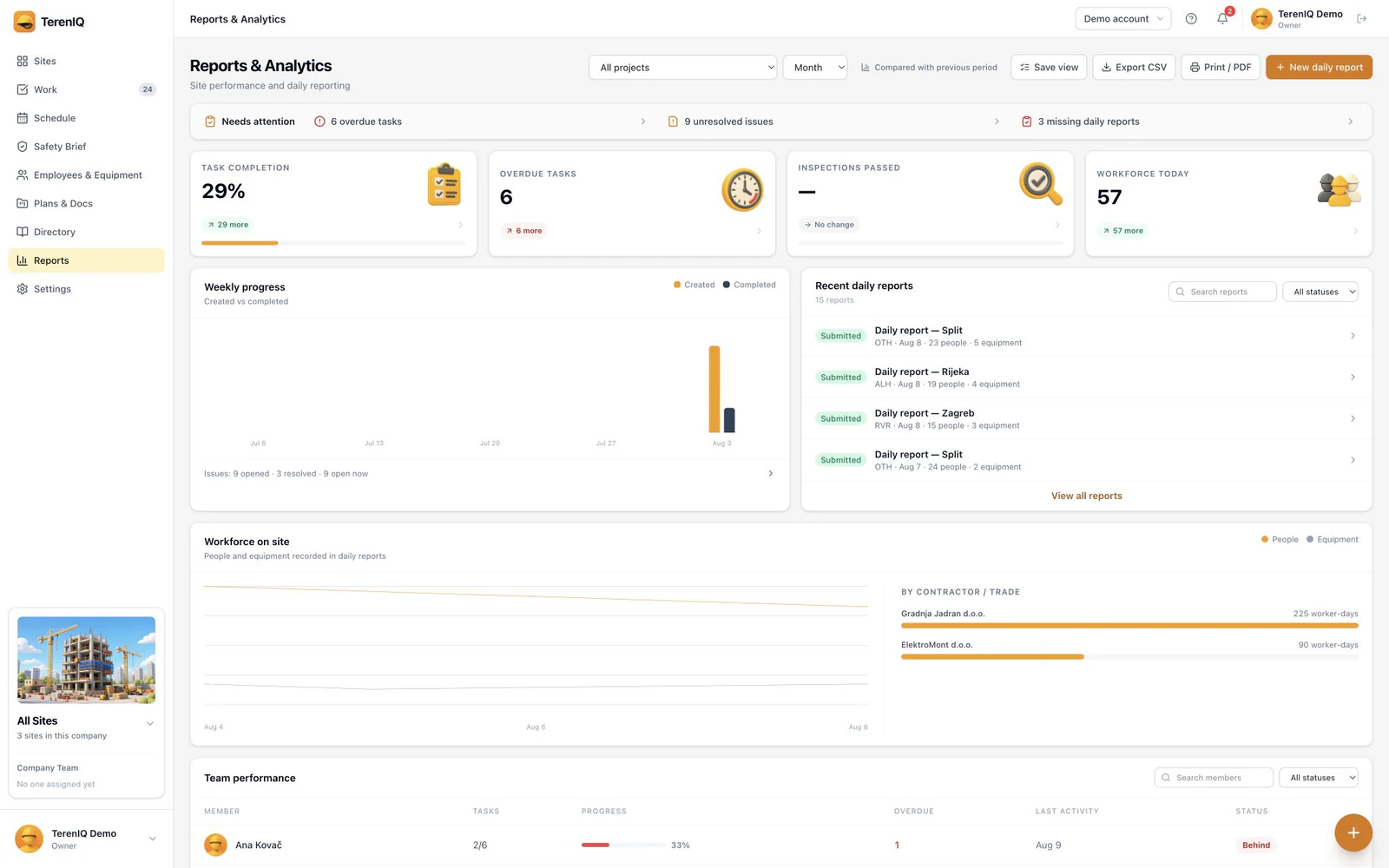
TerenIQ compiles the daily report from what the site already logged, instead of asking a foreman to type an essay at the end of a ten-hour shift:
- Labor per contractor, weather, progress photos and notes roll into a clean report — most of it is captured during the day as the work happens.
- Photos stay attached to the task or area they support. Precise GPS is added only when a user chooses a location-enabled feature.
- Check retrieved site weather against observations on the ground and record its actual effect on the work.
- One tap sends the finished report to the client before the gate closes, and every report stays in a searchable project archive with a full audit trail.
Frequently asked questions
Who should write the daily report?
The person who ran the site that day — usually the site manager or foreman. What matters is that the author was physically present and signs their name to the record.
How long should a construction daily report be?
One page of structured entries is enough. Completeness beats length: labor, weather, work done, delays and photos, every single working day.
Are daily reports legally required?
Requirements vary by jurisdiction, type of work and contract. Check the rules for your project with an appropriate professional. This operational template does not replace a statutory construction diary or other prescribed records.