Construction task tracking software: what to look for
Construction task tracking software should make site work easier to assign, find, update and close from the field and the office. Evaluate it against the actual task loop — responsibility, timing, location, working context and status — rather than choosing the product with the longest feature list.
Eight questions to ask during a trial
-
Can the field team update it quickly?
Create and update a real site task on a phone. If the basic flow requires too many screens or office-only cleanup, adoption will depend on one administrator.
-
Can responsibility be specific?
Check whether a task can name every person expected to act and whether those people can find their own assignments without reading the whole project list.
-
Are priority, dates and status separate?
Urgency, a due date and the current state answer different questions. Software should not force the team to hide all three inside the title.
-
Can the task identify the place?
Test a level, zone, grid reference, drawing and drawing pin. A construction task that cannot locate the work sends the assignee back to chat for directions.
-
Can you define the work without a long description?
Optional checklist items help break a task into observable steps while keeping one responsible outcome.
-
Does field context stay with the task?
Comments, photos, video, voice notes and documents should be available where the work is updated, not copied into a separate folder by hand.
-
Can managers find what needs attention?
Try to review blocked, overdue and high-priority tasks by project and assignee. A shared list is useful only when it supports the next decision.
-
Can access match the project team?
Confirm who can create, update or view work before inviting employees, subcontractors, consultants or guests. Use the trial with representative roles.
Run a site-based trial, not a slideshow
Choose one live project and a small group that includes someone planning work and someone completing it. Enter ten representative tasks: a preparation, a blocked item, a drawing-based instruction, a multi-person task and a task with a short checklist. Use the system for several normal work cycles, then review where people returned to chat, paper or spreadsheets.
The evaluation question is not “does the software have tasks?” It is “can this team run its task loop without rebuilding the missing context elsewhere?” See the broader construction task management workflow before comparing products.
Signs the workflow is too complicated
- The field team can read tasks but needs the office to create or update them.
- Locations are typed differently every time and cannot be connected to drawings.
- “In progress” is used for blocked work because there is no clear blocked state.
- Photos and discussion live in a second system, so managers cannot understand the update from the task alone.
- The trial uses perfect demo records instead of the untidy work the team handles every day.
Doing this in TerenIQ
Use a TerenIQ trial to test the same task loop with your own team:
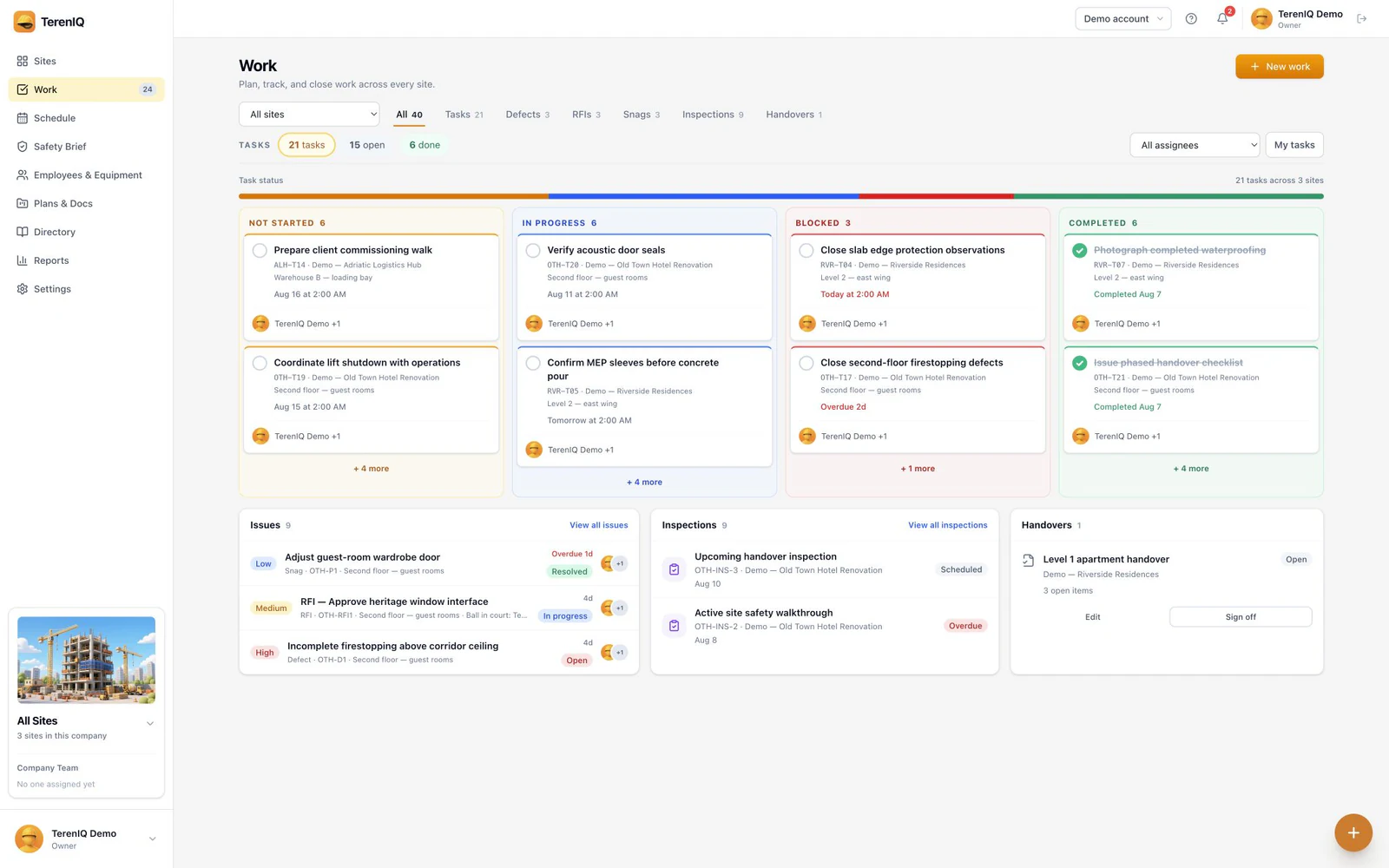
- Create tasks on web, iPhone or Android with one or more assignees, priority and optional start and due times.
- Add optional checklist items and connect work to a site location, drawing or drawing pin.
- Keep comments and photo, video, voice or document attachments on the task.
- Move work between not started, in progress, blocked and completed while assignment and status notifications keep the responsible people informed.
Frequently asked questions
What features matter most in construction task tracking software?
Start with mobile usability, clear assignees, priority and dates, real task statuses, location or drawing context, comments and field attachments. Reporting matters only after the team can maintain accurate tasks.
How should we test construction task software?
Use a real project, representative users and several ordinary work cycles. Enter messy, location-specific and blocked tasks instead of judging only the vendor's prepared demo.
Is generic project management software enough for site tasks?
It may be if it handles the field workflow your team needs. Test physical-location context, drawing references, phone-based updates and field media rather than assuming a construction label is required.