Construction defect tracking and handover
Follow every defect through to handover.
Record what needs attention, identify where it is and assign the next action. Keep the discussion and evidence beside the work your team is closing.
Subscribe in the iPhone app through Apple.
How the workflow works
Describe the defect on site
Add a clear observation and a useful photograph. Use the location or a drawing pin when that helps the next person find the item.
Assign the next action
Choose the responsible people, priority and deadline. Keep questions in the item's comments so the instruction remains attached to the work.
Review the result
Use the updated status and supporting evidence to prepare the walkthrough. Record any unresolved items separately when agreeing the handover scope.
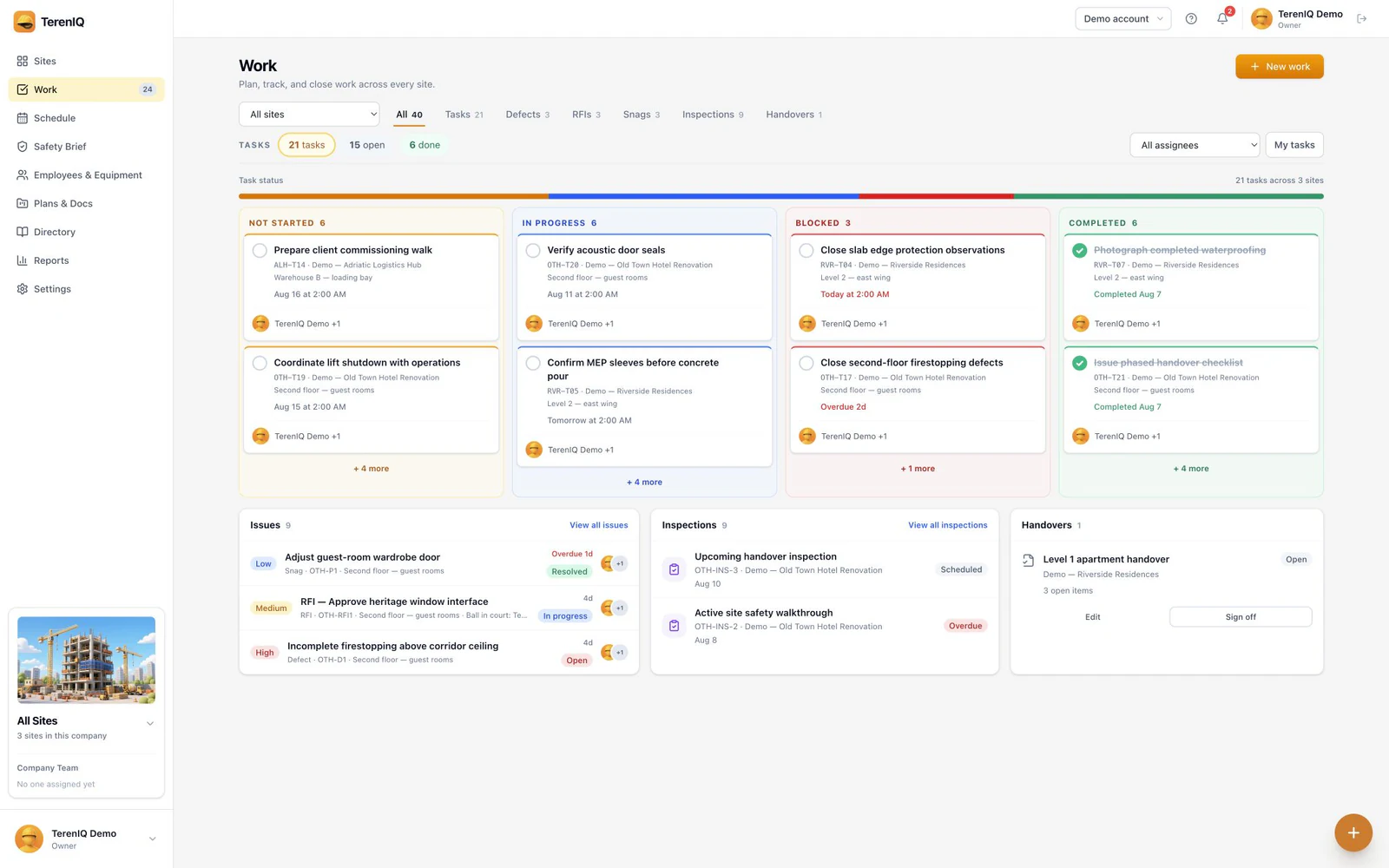
A shared list for the walkthrough
The Work page brings tasks, defects and other site items into a filterable list. Use a consistent location and clear completion criteria so a reported repair can be checked. Follow the project contract and applicable law when deciding who may inspect and accept the work.
Practical guides and templates
Questions about this workflow
Can I identify an item on a drawing?
TerenIQ supports drawing pins and location context for work items. Use the current drawing revision and a photo when they help explain the issue.
Does marking an item complete automatically mean acceptance?
No. A work status records progress. Agree the inspection and acceptance steps with your project team and retain any required handover record.