Construction daily report software
Keep a clear record of each working day.
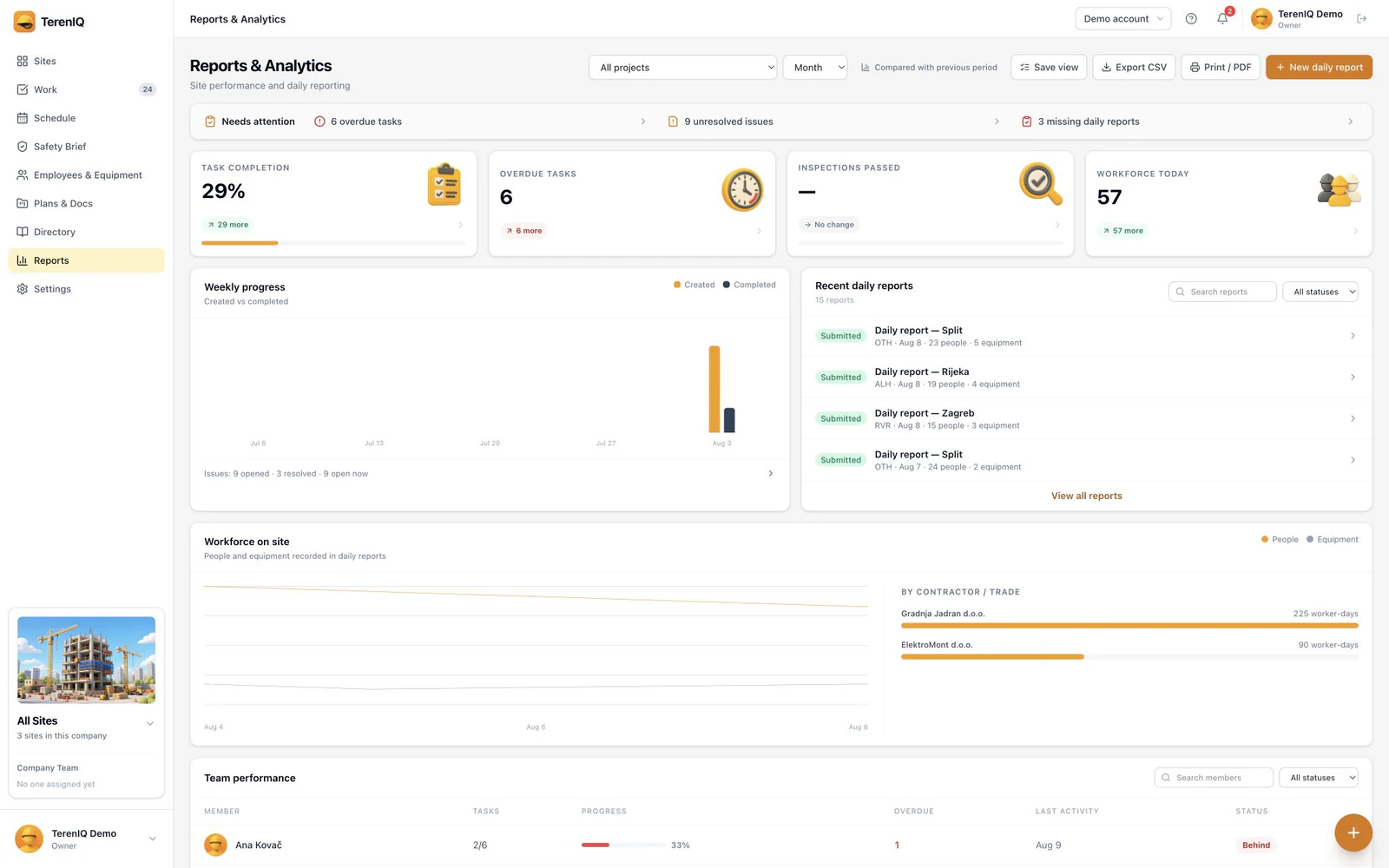
Give the office a daily record of work, workforce, weather and site notes. TerenIQ keeps reports with the project so the team can return to the same record.
Subscribe in the iPhone app through Apple.
How the workflow works
Collect the day's facts
Record the workforce, weather and progress while the details are fresh. Give each entry enough location context for someone in the office to understand it.
Review the site report
Open the project's reports and check the date, contractor details and notes. Keep delays and outstanding questions visible alongside completed work.
Continue from the same project
Use the project record when preparing the next report or answering a question from the office. Link follow-up work to a clearly assigned task.
Reports that belong to the project
A daily report is useful when the reader can find the work it describes. Keep locations consistent across reports, tasks and photographs. Agree who prepares the report and who checks it before sharing it outside the team.
Practical guides and templates
Questions about this workflow
Is this a statutory construction diary?
This page describes operational daily reporting. Check the official records and signatures required in your jurisdiction; TerenIQ is not presented as a replacement for a mandated government system.
Can I start with a spreadsheet?
Yes. The free daily report template includes a blank form and a completed example. Use it to agree the fields your team needs before moving the workflow into TerenIQ.