How to schedule construction crews week by week
Crew scheduling is the translation layer between the master program and Monday morning: who works where, on what, each day of the coming week. The master schedule wins projects; the weekly crew schedule is what actually builds them.
FREE TEMPLATE
Weekly crew schedule: Excel + PDF
Plan one assignment per row, including site, hours and dependencies. Includes a completed example.
Excel includes Template and Example sheets. The PDF includes a blank printable form and a completed example. Download without signing up, adapt it to your project and share it with the crew.
One assignment per person or crew per day. Planned hours are not statutory working-time records or payroll calculations.
Building the weekly schedule
-
Start from the look-ahead, not the wall chart
Pull the next two weeks of program activities and ask the only question that matters: what could stop each one? Missing information, materials, access, preceding trades. An activity with an unresolved blocker does not go on the crew schedule — chasing the blocker does.
-
Assign work to people, day by day
Break activities into tasks a person or gang completes in a day or less, each with a location and priority. Week-sized blobs of work hide slippage until Thursday; day-sized tasks surface it Tuesday morning.
-
Level the load
Look at the week per person: who is overloaded, who has slack, which trade waits on which. The schedule view that shows workload by person is where you catch the electrician double-booked against two pours.
-
Publish to pockets
A schedule in the cabin is a rumor by the time it reaches the crew. Deliver the schedule and lawful changes in good time. Check applicable notice, working-time, break and rest requirements and collective agreements before changes; an app notification alone does not satisfy every employer obligation.
-
Reconcile daily
Five minutes at day's end: what finished, what slipped, what does tomorrow look like now? The daily report already captures labor and progress — the schedule should feed on it, not duplicate it.
Why crew schedules fail
- They live in a spreadsheet one person can edit. The plan changes on site at 9:15; the spreadsheet learns at 17:00; everyone in between worked to a fiction.
- They ignore blockers. Scheduling work that cannot start (no access, no answer to the RFI, no material) manufactures idle time and improvisation.
- They stop at the company level. “Subcontractor on site Tuesday–Thursday” is a hope. Which gang, which floor, which tasks — that is a schedule (see managing subcontractors).
Doing this in TerenIQ
TerenIQ's schedule is built on tasks, not abstractions:
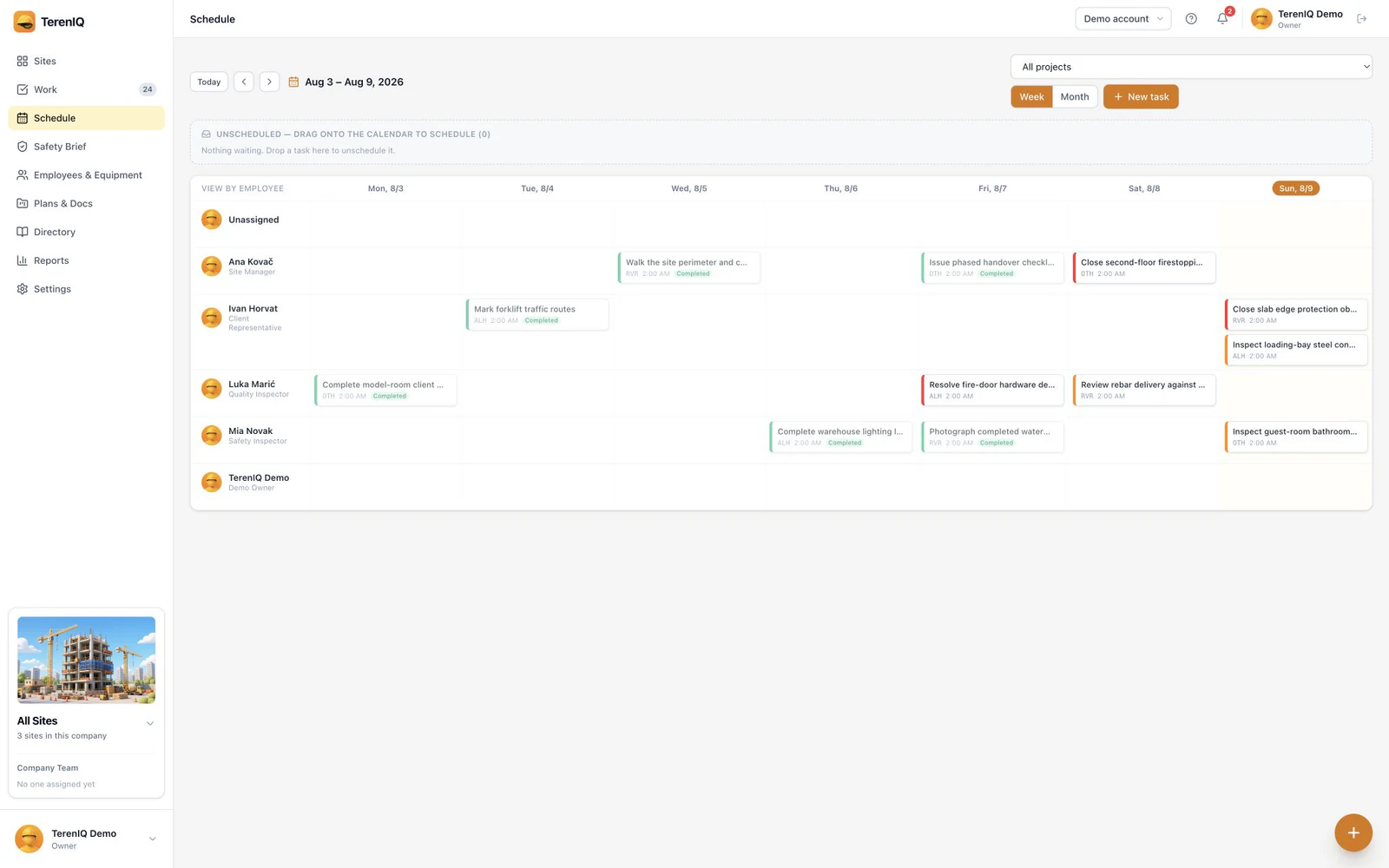
- The week is laid out per person, task by task — workload and gaps visible at a glance.
- Assignments push to each person's phone, and changes push too.
- Tasks carry location pins, priorities and due dates, so the day plan is executable, not aspirational.
- The daily report reflects what actually happened, closing the loop for tomorrow's plan.
Frequently asked questions
What is the difference between the master schedule and the crew schedule?
The master schedule sequences the project in activities over months; the crew schedule assigns people to tasks over days. The look-ahead (2–6 weeks) is the bridge where activities become executable tasks.
How far ahead should crews be scheduled?
Firmly one week, provisionally two. Beyond that, schedule at activity level and resist the false precision — site reality will rewrite it anyway.
How do I handle schedule changes mid-week?
First check whether the change is permitted and what notice is required under applicable labor law, contracts and collective agreements. Then record the change and notify affected workers in good time. A task schedule does not replace statutory records of actual working time.