How to track labor hours on a construction site
Construction labor tracking, at site level, means recording who was on site each day, for which contractor, doing what — every working day. It is the dataset behind three arguments you will eventually have: payment applications, productivity questions, and delay claims.
What to capture daily
- Headcount per contractor and trade. Not one site total — the breakdown is the value. “42 on site” answers nothing; “8 formwork, 6 steel fixers, 4 M&E (Subco X), 3 idle awaiting access” answers everything.
- Hours, at least approximately. Start and finish per gang is enough for site records; payroll precision belongs to payroll.
- What the labor did. Tie the headcount to the day's activities and locations — this is what turns a headcount into a productivity record.
- Idle time and why. Crews standing due to weather, access or missing information is exactly the data your delay documentation needs, recorded on the day.
Collection methods that survive real sites
The gate list (security sign-in) tells you who entered, not what they did — necessary but not sufficient. Timesheets arrive weekly, backfilled and generous. The method that works is the daily report headcount: each contractor's foreman enters their gang's numbers as part of the daily rhythm, your site manager verifies against the morning walk, and the number is locked the same day.
Same-day locking is the credibility mechanism. A headcount recorded Tuesday for Tuesday is a record; headcounts reconstructed Friday are negotiations. This is also why labor tracking belongs inside the daily report rather than in a separate system — one daily habit instead of two.
Doing this in TerenIQ
TerenIQ makes the daily headcount a two-minute entry:
- Labor per contractor is part of the daily report — entered from the phone, verified by the site manager, locked into the day's record.
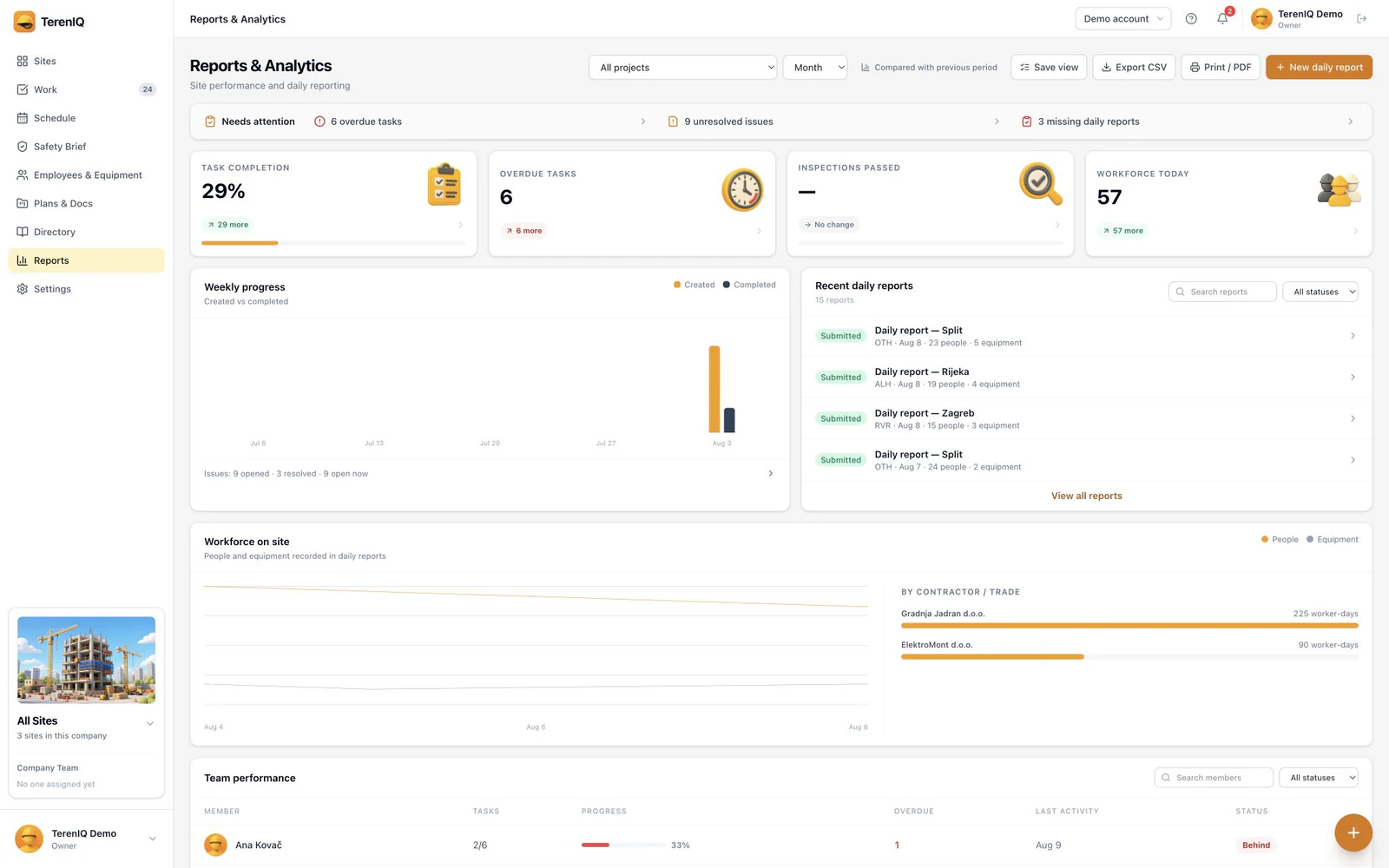
- The Reports view shows workforce on site per contractor across the project timeline.
- Idle time and weather stops are logged with the day's conditions attached automatically.
- Role-scoped access lets each subcontractor enter their own numbers without seeing anyone else's.
Frequently asked questions
Is site labor tracking the same as time and attendance?
No. Time and attendance feeds payroll with individual precision; site labor tracking feeds the project record with daily headcounts per contractor tied to work performed. Many sites need both; conflating them is how neither gets done well.
Why does headcount per subcontractor matter?
Because payment applications, productivity disputes and delay claims are all argued per company. A contemporaneous daily breakdown is routinely the decisive document.
Should idle time really be recorded?
Yes — with the cause. Idle labor is the cost side of every delay event; recorded daily with weather and access conditions, it is a claim. Reconstructed later, it is an estimate opposing counsel will enjoy.